PST Viewer Pro
The professional solution to securely view, search, and export Outlook PST and OST files.
WindowsUtils PST Viewer Pro is a powerful, standalone utility designed to open and inspect Outlook PST and OST files without requiring Microsoft Outlook installed. It lets you browse emails, contacts, calendars, and attachments while offering advanced search filters and secure offline processing for IT and legal professionals.
255 downloads recorded
Digitally Signed
100% Virus-Free
High Speed Processing
Windows 11 & 10 Certified
About PST Viewer Pro for Windows
Security Architecture
100% Offline Local
OS Compatibility
Windows 11, 10, 8.1, 8, 7 (32-bit & 64-bit)
Data Integrity
100% Lossless
Supported Formats
PST, OST
Related Search Topics & Capabilities:
Engineered For Speed. Built For 100% Accuracy.
Discover why IT specialists and individual users trust PST Viewer Pro for high-speed, secure, and lossless processing on Windows.
Open Files Without Outlook
Don't have Outlook installed? No problem. Just drop your PST or OST files straight into the tool and start reading your mail instantly.
Mailbox Folder View
Everything stays right where you left it. Your Inbox, Sent items, drafts, and custom directories show up in a standard folder tree.
Read-Only Protection
Your original archive files are completely safe. The utility only reads the data, meaning zero risk of accidental edits or file corruption.
Message Detail Preview
Click on any email to check the full text body, view exact timestamps, verify sender addresses, or inspect message headers.
Attachment Checking
Found a file hidden inside an email? Spot it right away and export copies directly to your local folders whenever necessary.
Contacts and Calendars
Beyond just reading emails, you can also pull up saved address book contacts, check scheduled calendar appointments, review active tasks, and look at notes.
Targeted Mail Search
Stop scrolling endlessly. Type in a keyword, sender name, or date to hunt down specific messages in a matter of seconds.
Orphaned File Access
Got an old PST file sitting on a dead PC or a disconnected profile? Open it up right here without needing the original account setup.
Password Prompt Support
Encrypted mailbox? Just type in the password when prompted to unlock and read password-protected files easily.
Small Windows Utility
A lightweight desktop program built specifically to help you check archives quickly without bogging down your system resources.
100% Air-Gapped Privacy
Zero cloud telemetry or data transmission. All operations execute directly on your physical hardware.
Certified Lossless Quality
Bit-for-bit accuracy preserving inline attachments, message formatting, headers, and metadata.
Standalone Speed Engine
Independent native executable. No Outlook, Exchange, or Office runtime installation required.
See PST Viewer Pro in Action
Click any preview thumbnail to inspect the full interface and options.
How It Works: Step-by-Step
Effortless processing in just a few clicks. Runs completely offline on your Windows system.
Select Your Archive
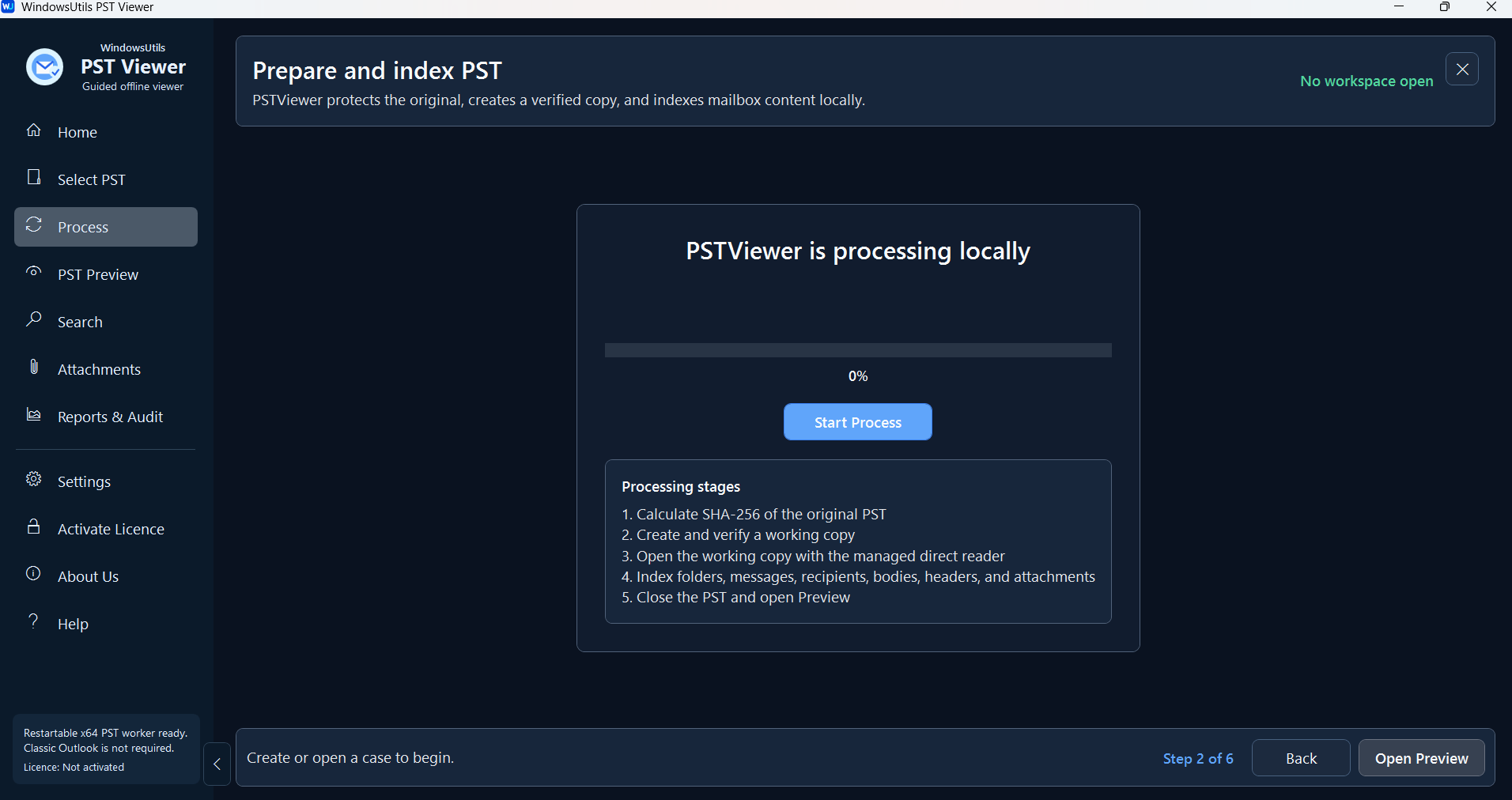
Browse your local computer or drag and drop your Outlook PST or OST data files directly into the utility for rapid, independent loading.
How to Open PST Files Step-by-Step
Follow full photographic walkthroughs showing drive selection, deep sector scanning (11,000+ MB/s), 2 MB free preview limit, and lossless verified file restoration.
Side-by-Side Comparison
Compare PST Viewer Pro against manual workarounds and alternative software. Discover why WindowsUtils delivers higher accuracy, zero cloud dependencies, and lifetime cost savings.
System Requirements
- Windows 11, 10, 8.1, 8, 7 (32-bit & 64-bit)
- 1 GHz processor or faster
- 512 MB RAM (1 GB recommended)
- 50 MB free disk space for installation
- Microsoft .NET Framework 4.5 or above
Supported Formats
Frequently Asked Questions
Trusted by Professionals Worldwide
"Needed to check a PST file quickly and this tool worked right away without needing Outlook. The layout is clean and lets you find old emails fast."
Daniel Carter
IT Administrator
"Saved me a ton of time when I had to look through an old email archive. Very straightforward to use and didn't require any complicated configurations."
Sophia Bennett
Office Manager
"Handled the data file smoothly right out of the box. Highly practical utility if you just want to browse messages without dealing with desktop email clients."
Michael Anderson
Systems Analyst
Related Guides & Tutorials
Comprehensive step-by-step documentation, migration troubleshooting, and expert recovery tips.
How to Open PST Files Step-by-Step
Complete step-by-step visual tutorial detailing file locations, scanning procedures, and Outlook mounting instructions.

Accessing Orphaned PST Data: How to Inspect, Search, and Read Outlook Files on Bare Machines
Need to view emails inside an Outlook PST file without Microsoft Office? Explore free standalone PST viewer tools, open-source workarounds, and forensic search methods.
Top 10 Free PST File Viewers: Comprehensive 2024 Review of Standalone Readers
Read, browse, and search Outlook PST archives without an Outlook installation. Compare the top 10 free PST viewer tools for Windows based on speed, search depth, and stability.
Ready to Get Started with PST Viewer Pro?
Download the free trial now and experience professional-grade performance on your Windows PC.