MBox to PDF Converter
Convert MBOX Mailbox Files to PDF with Attachments
WindowsUtils MBox to PDF Converter is a professional tool to export MBOX emails to PDF format. It preserves email formatting, headers, attachments, and folder structure during conversion. Supports Thunderbird, Apple Mail, Google Takeout, and other MBOX-compatible clients.
237 downloads recorded
Digitally Signed
100% Virus-Free
High Speed Processing
Windows 11 & 10 Certified
About MBox to PDF Converter for Windows
Welcome to your trusted destination for the best Mbox to PDF converter solutions. Whether you are converting MBOX to PDF, looking for a reliable free MBOX converter tool, or handling a massive Gmail MBOX-to-PDF archive, we make the process effortless.
Our software allows you to securely convert MBOX files to PDF, including the export of MBOX files with attachments.
Designed for performance on Windows and Mac, our mbox converter to PDF utility guarantees privacy and accuracy without forcing you to rely on risky online tools.
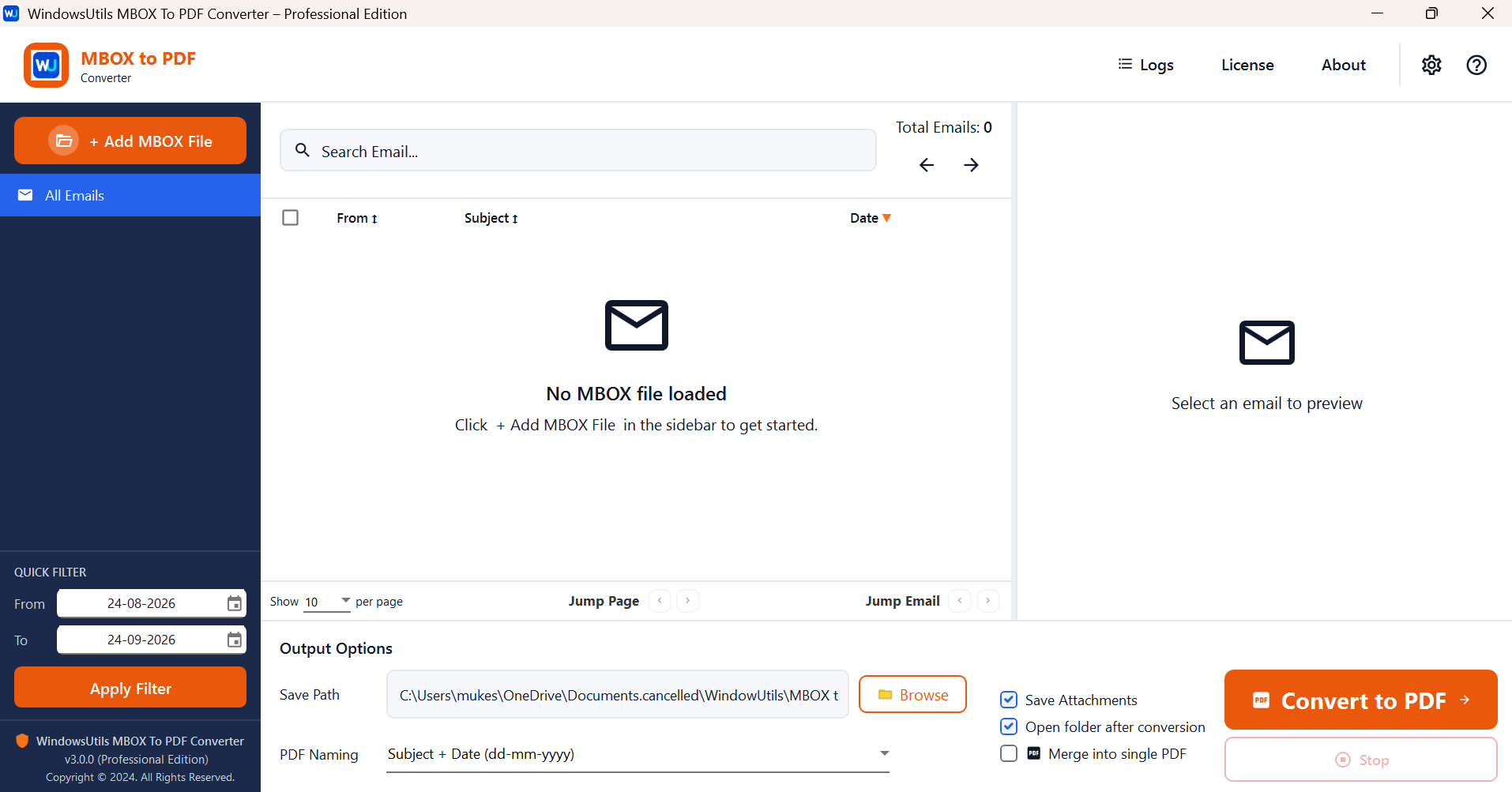
Windows Utils MBOX to PDF Converter offers a single desktop environment to import mbox files, view inboxes, filter out the emails, and convert the selected messages to PDFs. Its ability to operate without the internet, define the PDF file names, include the attachments, and specify the conversion record may help with the email archive. Actual capacity of free techniques and rivals tool depends on the certain item and system.
Security Architecture
100% Offline Local
OS Compatibility
Windows 11, 10, 8.1, 8, 7 (32-bit & 64-bit)
Data Integrity
100% Lossless
Supported Formats
MBX, MBOX, MBS
Related Search Topics & Capabilities:
Engineered For Speed. Built For 100% Accuracy.
Discover why IT specialists and individual users trust MBox to PDF Converter for high-speed, secure, and lossless processing on Windows.
Import Multiple MBOX Files
Import MBOX Files into Application Easily upload a number of MBOX Files to the tool and load MBOX email files into the application to access mails in bulk. Extract all mails from imported mailbox files and single access to work space.
A Centralized Email Workspace
Read Mail from imported MBOX directly to unified user interface. Table workspace shows Sender name, subject of email, date, no of attached files. So, it is easy to search required email messages from many letterboxes, search necessary conversation, and set up for conversion.
Email Preview
See email content within the app and before you convert to PDF Identify sender, receiver and subject of each email, timestamp, message body before converting email content to PDF.
Search Emails Instantly
Jump straight to individual emails Use the search box built into Share One to search imported emails and quickly find the conversations you need based on your email data, rather than opening your email attachments and scrolling through individual messages.
Filter Emails by Date
Filter emails with the date quick filter. Set the beginning date and end date of the collection period so you can gather emails that you want to archive or convert.
Select Individual or All Emails
Select emails – individual messages with selection checkboxes or select multiple messages if you want to perform operation on bulk of emails. Selection options make conversion jobs easy, as users can convert exact conversation or bulk of emails at a time.
Flexible PDF File Names
Use conversion options and naming conventions to customize output PDF filenames, such as subject and date combinations. The organized filenames are easier to view, sort, preserve, and find converted PDFs when saving large volumes of emails for business, legal, or personal record retention.
Save Your Email Attachments
Save email Attachments While Converting Enable Save Attachments. Having the Save Attachments option on can actually be of great help to you as you can archive the email message along with its supporting documents, text files and spreadsheets.
Combine Emails into a Single PDF
Merge option Let selected emails be combined as a single PDF. - Combine your multiple related conversations, project chats and business emails in one document to directly email, print, archive or review.
Select a Custom Output Location
Designate the Output Folder Save PDF Files To The Output Path tab is used to specify the output path folder by using its Browse button in which you want to save converted PDF Files. Keep your Data organized by saving files at your desired location.
Conversion Logs and Tracking Status
Conversion History Access Logs Log into the dedicated Logs for conversion history details. View logs of successful and unsuccessful conversions, the path where files are saved, select log by status, export logs and clear conversion history.
Open Converted PDFs Automatically
Automatically open folder after successful conversion If you want to open and preview your converted PDF documents without the need for having to browse your Windows folders, you may consider enabling the option to automatically open folder.
100% Air-Gapped Privacy
Zero cloud telemetry or data transmission. All operations execute directly on your physical hardware.
Certified Lossless Quality
Bit-for-bit accuracy preserving inline attachments, message formatting, headers, and metadata.
Standalone Speed Engine
Independent native executable. No Outlook, Exchange, or Office runtime installation required.
See MBox to PDF Converter in Action
Click any preview thumbnail to inspect the full interface and options.
How It Works: Step-by-Step
Effortless processing in just a few clicks. Runs completely offline on your Windows system.
Import MBOX File
Launch your software, click to browse, and select the MBOX file or archive you want to convert.
How to Convert MBOX to PDF Step-by-Step
Follow full photographic walkthroughs showing drive selection, deep sector scanning (11,000+ MB/s), 2 MB free preview limit, and lossless verified file restoration.
Side-by-Side Comparison
Compare MBox to PDF Converter against manual workarounds and alternative software. Discover why WindowsUtils delivers higher accuracy, zero cloud dependencies, and lifetime cost savings.
Watch MBox to PDF Converter Demo
See how MBox to PDF Converter processes files quickly and safely in under two minutes.
System Requirements
- Windows 11, 10, 8.1, 8, 7 (32-bit & 64-bit)
- 1 GHz processor or faster
- 512 MB RAM (1 GB recommended)
- 50 MB free disk space for installation
- Microsoft .NET Framework 4.5 or above
Supported Formats
Frequently Asked Questions
Trusted by Professionals Worldwide
"Saved me hours of manual work! I had years of archived emails from Gmail stored in an MBOX format, and this converter made exporting everything to clean, readable PDFs unbelievably easy. Having the option to include all attachments right inside the PDF files was a lifesaver for my project."
Rahul S.
Verified Buyer
"Fast, secure, and works offline. Most online converters are risky with sensitive emails or have strict file size limits. This desktop software converted my massive archive smoothly without uploading anything to the cloud. Perfect performance and exact folder structure maintained."
Michael D.
IT Professional
"Simple interface and great conversion quality. I’m not very technical, but the clean interface made it effortless to convert my mail client backups into professional PDF documents. It handled large attachments without a glitch. Worth every penny!"
Ananya P.
Small Business Owner
Related Guides & Tutorials
Comprehensive step-by-step documentation, migration troubleshooting, and expert recovery tips.
How to Convert MBOX to PDF Step-by-Step
Complete step-by-step visual tutorial detailing file locations, scanning procedures, and Outlook mounting instructions.
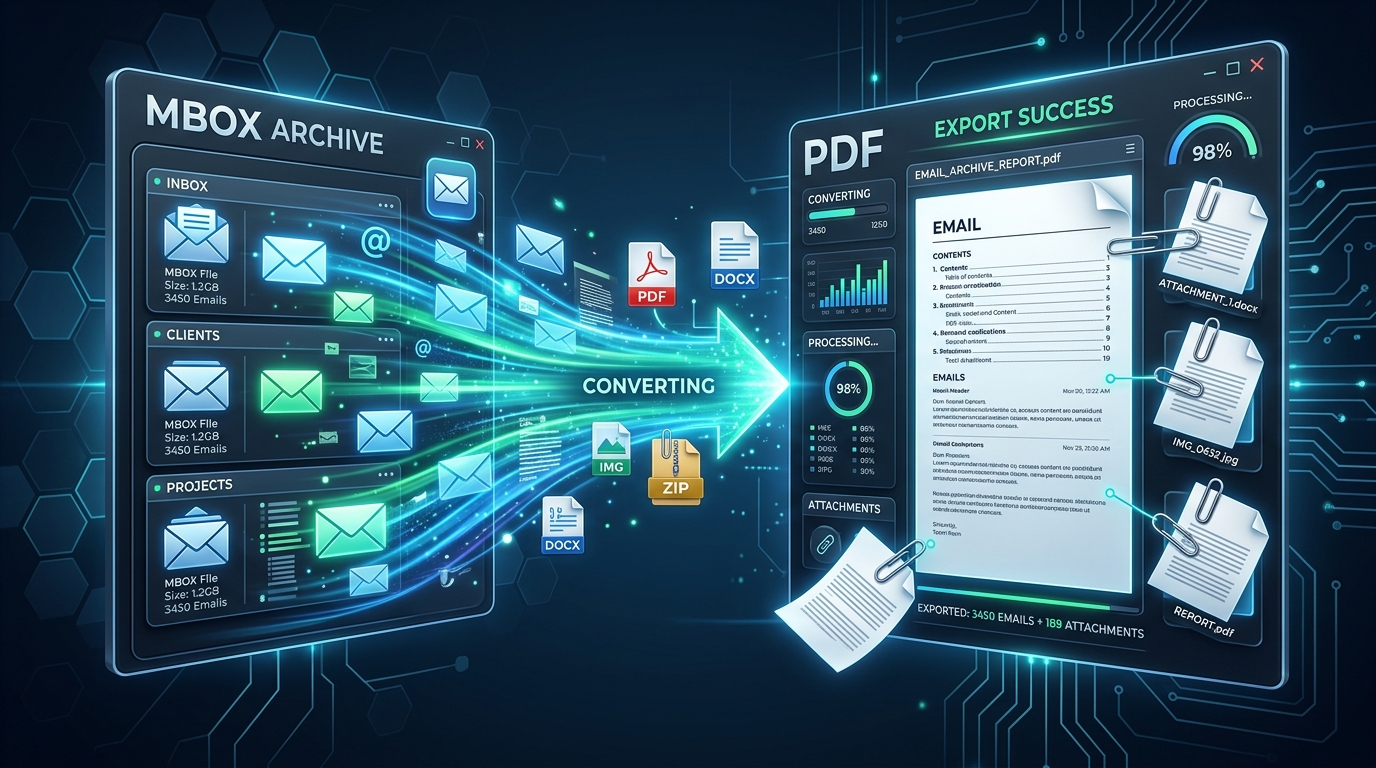
Exporting MBOX Mailboxes to Searchable PDF with Intact Attachments: 4 Tested Workflows
Step-by-step guide to converting MBOX email archives to high-fidelity PDF documents with embedded attachments. Ideal for legal, auditing, and archival workflows.
Mac to PC Mailbox Migration: Transferring Apple Mail (.EMLX) to Windows Outlook Intact
Complete guide for moving from Mac Apple Mail to Windows Outlook. Preserve subfolder nesting, original timestamps, and multipart attachments during cross-platform migration.
Ready to Get Started with MBox to PDF Converter?
Download the free trial now and experience professional-grade performance on your Windows PC.